
This is a quick guide on how to install the tollgate OpenWRT package on a GL.Inet MT-3000 router.
Go to releases.tollgate.me and find the latest release.
Download and install#
Download and copy#
wget -O tollgate.ipk https://blossom.swissdash.site/3ea79ed1d77b8b2bfc0788314c4bb25665608b7a96263d6adaa82e2edf3eb52b.ipk
Copy#
scp -O tollgate.ipk root@<router_ip>:/tmp/tollgate.ipk
If you got a workshop device and it's password-protected: use c03rad0r123
SSH into device#
ssh root@<router_ip>
Install the package#
cd /tmp

opkg install --force-reinstall tollgate.ipk
Reboot your device, the router's ip address will change into a randomly generated one.
Test#
- Connect to your router's wifi network.
- In your browser: navigate to
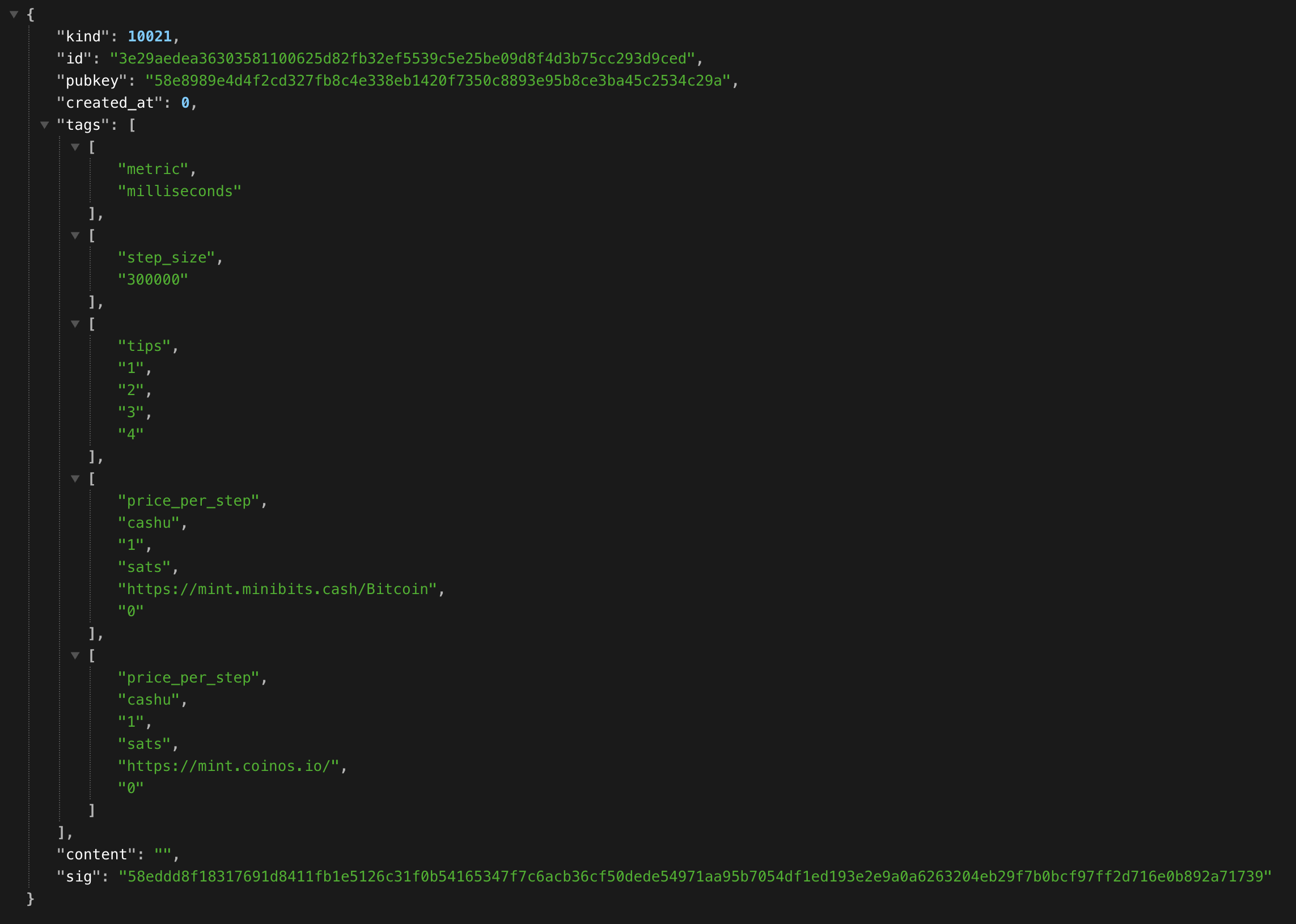
http://<router_ip>:2121 - It should show the tollgate price advertisement:
- You're tollgate is running:
Connect to upstream#
- Connect to your router's wifi network.
- In your browser: navigate to
http://<router_ip>:8080 - You should see the LuCi Admin Panel:
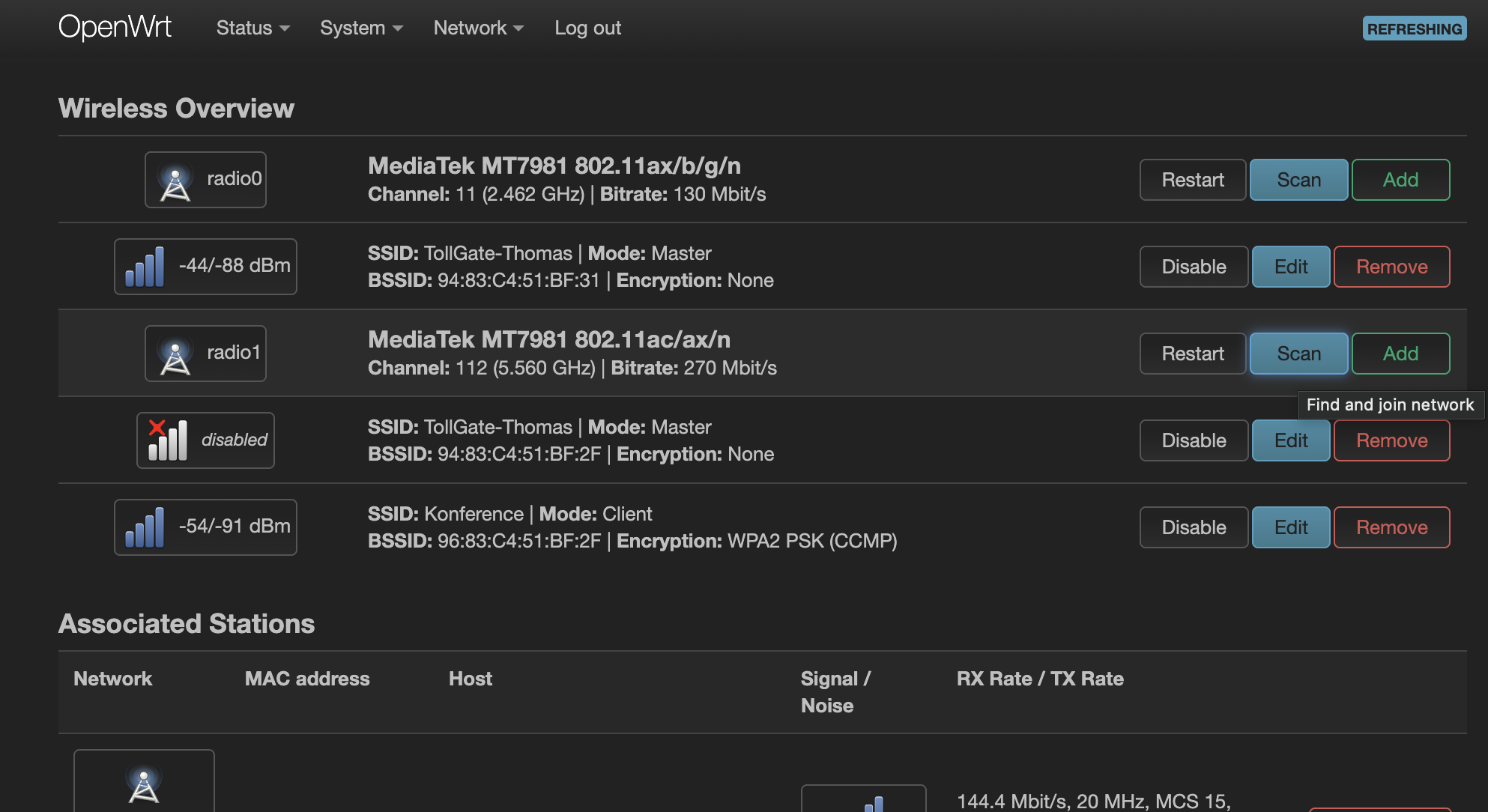
- Go to Network -> Wireless -> Scan (2.4 / 5 Ghz) radio -> Connect
ping 1.1.1.1to test your connection
Configure your tollgate
- go to /etc/tollgate/config.json
- find
price_per_minuteand set your competitive rate. - find
TODO payoutsand add your lightning address to stack sats.- Note: default dev split is set to 21%, you can change this to your liking.
- Take note/edit your payout thresholds, this defines above which balance the router will pay out.
Troubleshoot#
Nothing shows up on port :2121#
Please check the logs using
logread | grep tollgate
Captive portal does not show up#
If the captive portal does not show up for clients it likely means the router is offline, check the upstream connection and try again.
Comments
No comments yet. Start the conversation.