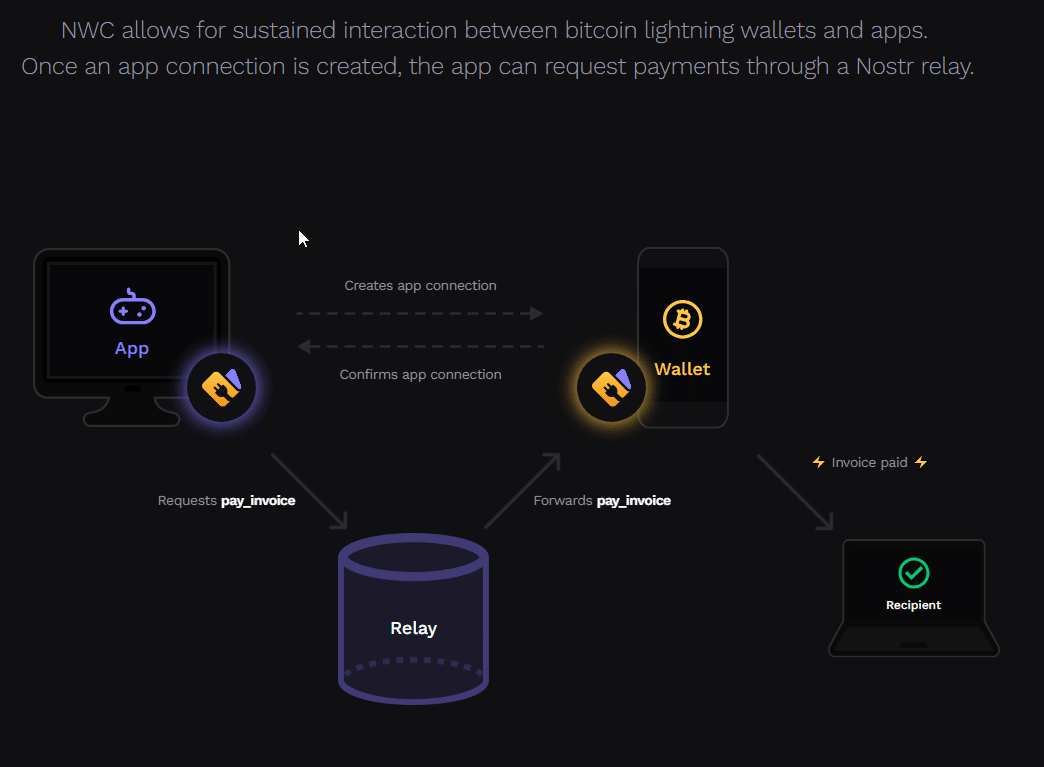

In the evolving landscape of digital payments and cryptocurrency, facilitating a seamless connection between applications and wallets is crucial. Nostr Wallet Connect (NWC) emerges as a robust solution, offering developers an effortless way to link their applications with various bitcoin wallets. So how to get started with NWC, its benefits, features, and how to obtain and handle connection strings effectively.
What is Nostr Wallet Connect (NWC)?#
Nostr Wallet Connect is a protocol designed to simplify the integration between client applications and wallet services. It streamlines operations such as sending and receiving payments, displaying wallet balances, and handling transactions without the need for manual QR code scans or confirmations.
Benefits of Using NWC#
NWC brings several advantages to the table that can significantly enhance user experience and developer convenience:
- Convenience: Automates payment confirmations, removing the necessity for manual entry or QR code scans.
- Flexibility: Developers can either build a complete wallet interface or incorporate individual payment features according to their needs.
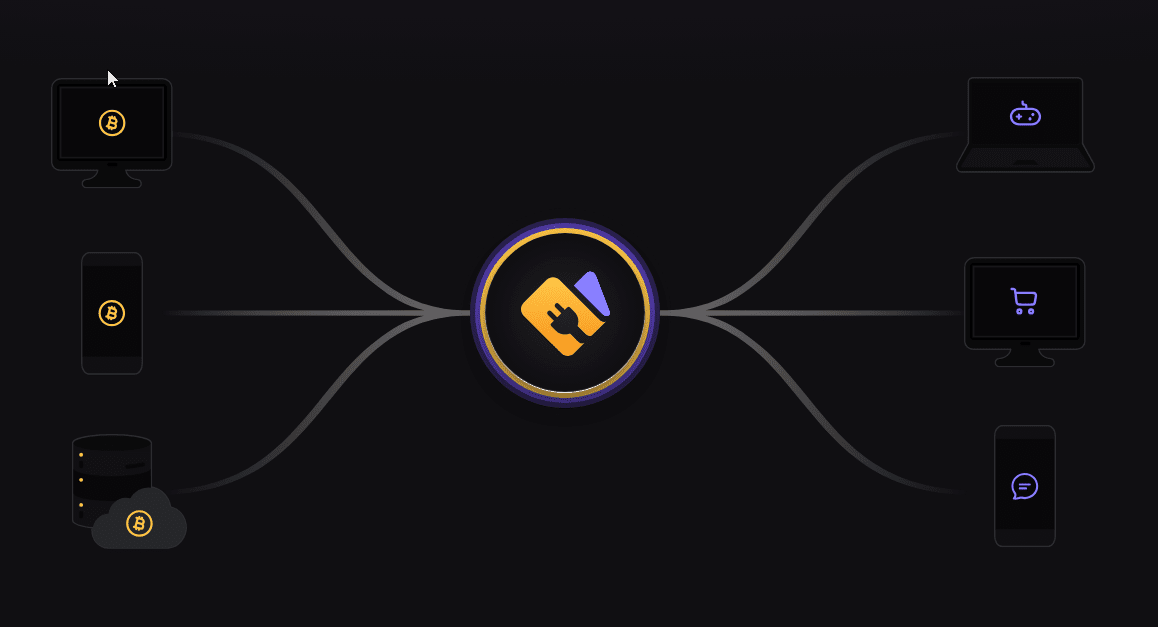
- Interoperability: NWC provides a universal interface that supports integration with any bitcoin wallet.
- Risk Management: Shifts apps from having to custody funds to merely orchestrating payments, enhancing security.
- Platform Independence: Compatible across various platforms including mobile, backend, CLI tools, and desktop applications.
Core Features of Nostr Wallet Connect#
- Real-time Payment Receipt: Allows instant acknowledgment of incoming payments.
- Versatile Payment Initiations: Supports sending single or multiple payments, and can automate recurring transactions.
- Wallet Balance Display: Enables apps to show current wallet balances.
- Payment Listing and Verification: Offers functionalities to list and check the status of payments.
Obtaining a Connection String#
To establish a connection between a client app and a wallet service using NWC, a connection string is essential. Here’s how to acquire it:
- Discovery: The client app can discover a wallet service either by scanning a QR code, following a deep link, or entering a URI.
- Generation: The wallet service generates a connection URI using the
nostr+walletconnect:protocol. This includes a hex-encoded public key and required query parameters such as relay URLs and a secret key.
Example Connection String#
nostr+walletconnect:b889ff5b1513b641e2a139f661a661364979c5beee91842f8f0ef42ab558e9d4?relay=wss%3A%2F%2Frelay.damus.io&secret=71a8c14c1407c113601079c4302dab36460f0ccd0ad506f1f2dc73b5100e4f3c
This string contains all the necessary information for the client app to initiate and maintain a secure connection with the wallet service.
Practical Implementation#
Once the connection string is obtained, the client app should store this configuration for ongoing use. It's important to choose relays that maintain connections even during inactivity to prevent any loss of data or events.
For developers looking to automate the construction and management of these connection strings, exploring documentation and tools provided with NWC will be highly beneficial. More insights into this can be found on the official Nostr Wallet Connect page.
To Consider#
Nostr Wallet Connect offers a streamlined, secure, and efficient way for applications to interact with bitcoin wallets. By implementing this protocol, developers not only enhance the functionality of their applications but also contribute to a more interoperable and user-friendly Bitcoin ecosystem. Whether you are developing a new financial app or looking to upgrade an existing system, integrating NWC provides a clear path to improving your application's connectivity and functionality in the crypto space.
Integrating Nostr Wallet Connect (NWC): SDKs, Tools, and Best Practices for Developers
The advent of Nostr Wallet Connect (NWC) has made integrating Bitcoin payments into apps and websites significantly more accessible and efficient. As a developer looking to harness the power of NWC, understanding the available SDKs, tools, and best practices for implementation is crucial. This article provides a comprehensive guide to getting started with NWC, highlighting key resources and strategies to optimize the integration process.
SDKs and Libraries for NWC Integration#
NWC supports a variety of SDKs and libraries that cater to different programming environments, ensuring compatibility and ease of integration across multiple platforms.
JavaScript SDK#
For developers utilizing JavaScript, the JavaScript SDK provided by NWC offers extensive documentation and integration guides. It facilitates the connection between your application and users' wallets, streamlining the process of requesting and processing payments.
Rust SDK#
If your application’s backend is built with Rust, the Rust SDK for NWC is designed to provide robust support for wallet interactions. Rust’s performance and safety features make it an excellent choice for handling cryptocurrency transactions.
Bitcoin Connect Library#
For applications that need to interact with Bitcoin Lightning-powered websites, the Bitcoin Connect Library is an invaluable resource. Supporting all web frameworks, it provides code examples for HTML, JavaScript, React, and Next JS/SSR, making it a versatile option for web developers.
Best Practices for Implementing NWC#
When integrating NWC into your application, consider the following best practices to ensure a smooth and secure user experience:
Permission Requests#
Only request the necessary permissions, and limit the scope and duration of these permissions to what is needed for each specific action. This minimizes security risks and respects user privacy.
Connection Setup#
When setting up a connection, always pass the application name to provide clarity to the user. This transparency helps build trust and improves user comprehension of what the application will access.
Handling Connection Strings#
For user-generated connection strings:
- Input Security: Use password-type input fields when users need to paste a connection string. This prevents passive data leaks from screen recordings or shoulder-surfing.
- User Control: Always provide users with the option to manually add a connection string from their NWC wallet application.
Wallet Agnosticism#
Do not presume the use of a specific wallet service by the user. Maintain language neutral about the wallet provider to accommodate any user from any service. For instance, use generic terms like "Pay" instead of "Pay with X."
Running or Connecting to a Relay#
Understanding how to interact with relays is crucial as they facilitate communication between apps and wallets:
- Event Handling: Learn to handle different types of events (NIP-47 info, request, and response) that are used to transmit commands and responses.
- Encryption: Ensure the content of requests and responses complies with NIP04 encryption to protect data integrity and privacy.
- Dedicated Relay Usage: Consider using a dedicated relay to enhance privacy and reliability. This can help avoid metadata leaks and improve connection stability.
Starting with NWC#
To get started with NWC, developers can explore the comprehensive guide and resources available on the NWC website. Here, you can find detailed documentation, code snippets, and examples to help you integrate NWC smoothly into your applications.
Considerations#
Integrating Nostr Wallet Connect into your applications opens up a realm of possibilities for incorporating Bitcoin payments efficiently and safely. By utilizing the appropriate SDKs, adhering to best practices, and properly handling connections and relays, developers can provide users with a seamless and secure financial interaction experience. Whether you are developing a mobile app, a web service, or a backend system, NWC provides the tools and guidelines necessary to enhance your application's functionality with robust Bitcoin support.
Comments
No comments yet. Start the conversation.