

Following up to My Bitcoin, Lightning, and Nostr Journey Intro article see Hable.news or Yakihonne.com, I'm going to review my limited experience with Nostr. Lastly, I'm going to document my methods for keeping sensitive data secure and in cold storage.
My first exposure to Nostr started in January of 2023 and I don't remember the client that I started with but the experience was less than impressive at that time and I put it on the shelve for several months. The primary turn off was the volume of messages that I was being subject to because I didn't know how to follow the good content creators to limit the noise that was being generated on Nostr.
Now my impression is Holly shit I get it. I guess that I'm slow in my old age. Below is a link to get one started on Nostr and hopefully you can avoid the delay that I experienced.
At this point, I'm learning how to publish articles on Nostr using the following tools and resources.
Basically, one is working with a markdown document and publishing to Nostr using these tools. I'm using Vscode to generate the first cut of an article and then refining as needed. The first article was displayed on the Hable.news link appeared as expected but the same article displayed differently on the YakiHonne.com link.
I ended up re-editing the article via YakiHonne.com and now the article appears the same on both links. This is likely due to how the tools are dealing with the EOL characters or me forcing a EOL when I shouldn't.
Another thing that I've been experimenting with is the Paywall extension from both LNBits and Zapit. This allows one to monitize content behind a paywalled link.
Securing Data
The importance of securing your sensitive data and retaining your absolute control of it can not be understated.
There are many options for purchasing hardware devices for storing one keys and etc. I would recommend that you visit BTC Sessions and review the various video tutorials covering these options.
Currently, for me all of these options as good as they are do not satisfy my requirements. These options are too one dimensional for me. I want something that does it all as well or better with greater flexibility.
VeraCrypt is a free open source disk encryption software. It runs on Linux, Mac OSX, and Windows.
Now you are likely thinking, I do not want to encrypt my entire hard disk and nor do I. With VeraCrypt one can create an encrypted disk volume of any desired size and on your computer and this disk volume just appears as file on your computer. This file can be relocated to any removable media device you desire on you computer and to as many removable media devices as one desires.
With VeraCrypt, you then select this file to be mounted as a disk volume on your computer and you'll need to provide the password for decrypting the file.
For KeePassXC, one can have multiple different disk volumes that can be mounted that contain the underlining desired database(s). One might consider having one database per classification(s) of your sensitive data. For instance, one for most secret, one for more secret, and one for less secret. Anyway, the point is if you can dream it then it is possible to do.
With all the flexibility that VeraCrypt offers, one needs to totally think through all the potential ways to protect your data and remembering that a lost password is lost data.
KeyBase is an end-to-end encrypted messaging, file sharing, private git repository, vault, and team building software. The client software is open-source but unlike Nostr the server side is centralized. The client software is available on Linux, MacOS, Windows and mobile devices too.
KeyBase was purchased by Zoom several years ago. They have maintained the software since then and have been slowly de-implementing features during it's owership. Zoom has not provided any road map about the future of this software and most of the user base have moved onto other similar applications. The majority of my experience with Keybase was prior to Zoom ownership and others like myself are prepared for the product going to end-of-life.
In my mind, Nostr is striving to become like KeyBase but a de-centralized solution controlled by no one. The fate of KeyBase should be a good example to everyone about the risks of placing your trust into a centralized solution. Zoom at their whim can disable your keybase account without notice, but also be aware this is true of your email provider, internet provider, and the list goes on. I'm looking forward to the day when Nostr implements all of the features available in Keybase which will likely require that you run your own nostr relay.
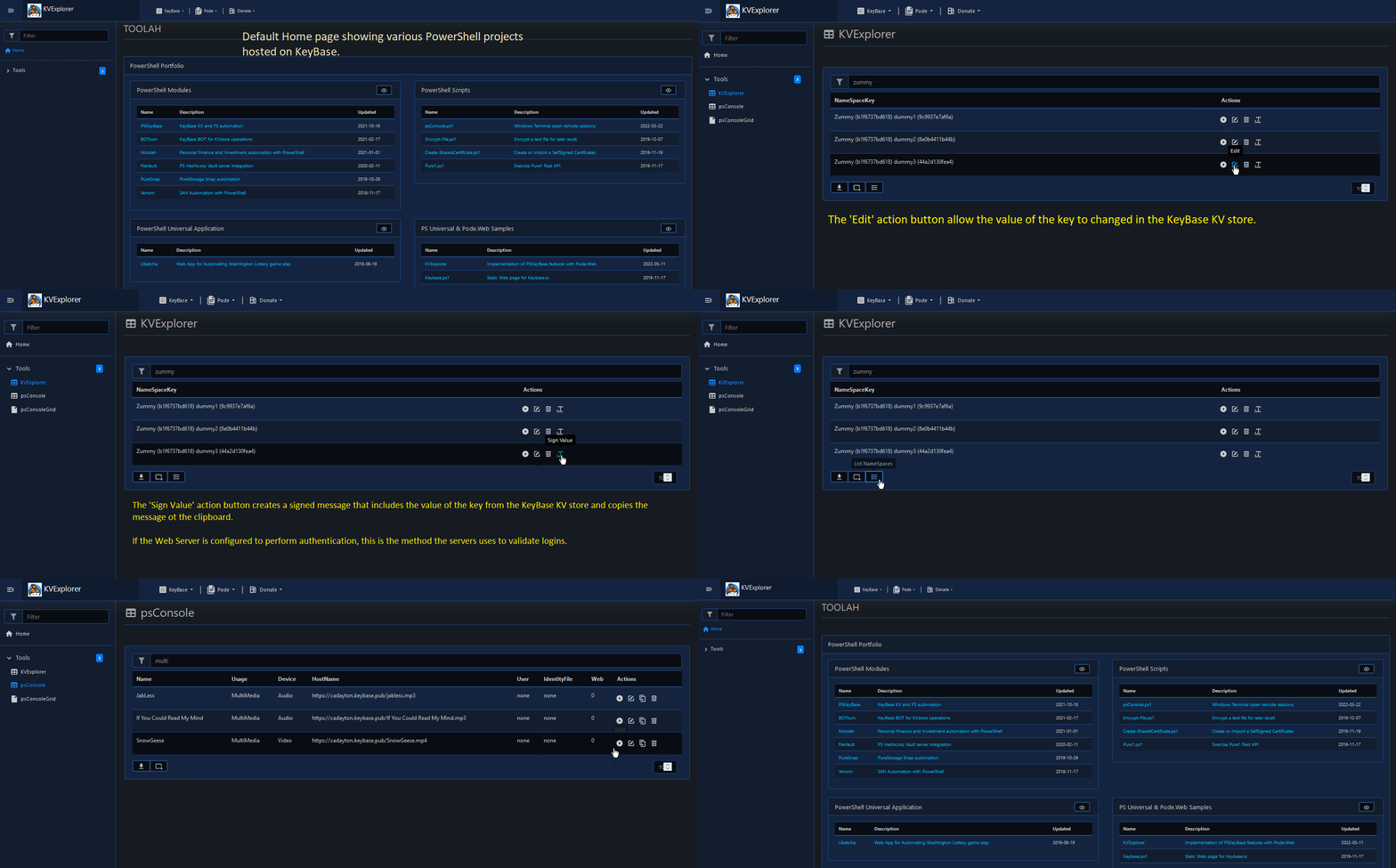
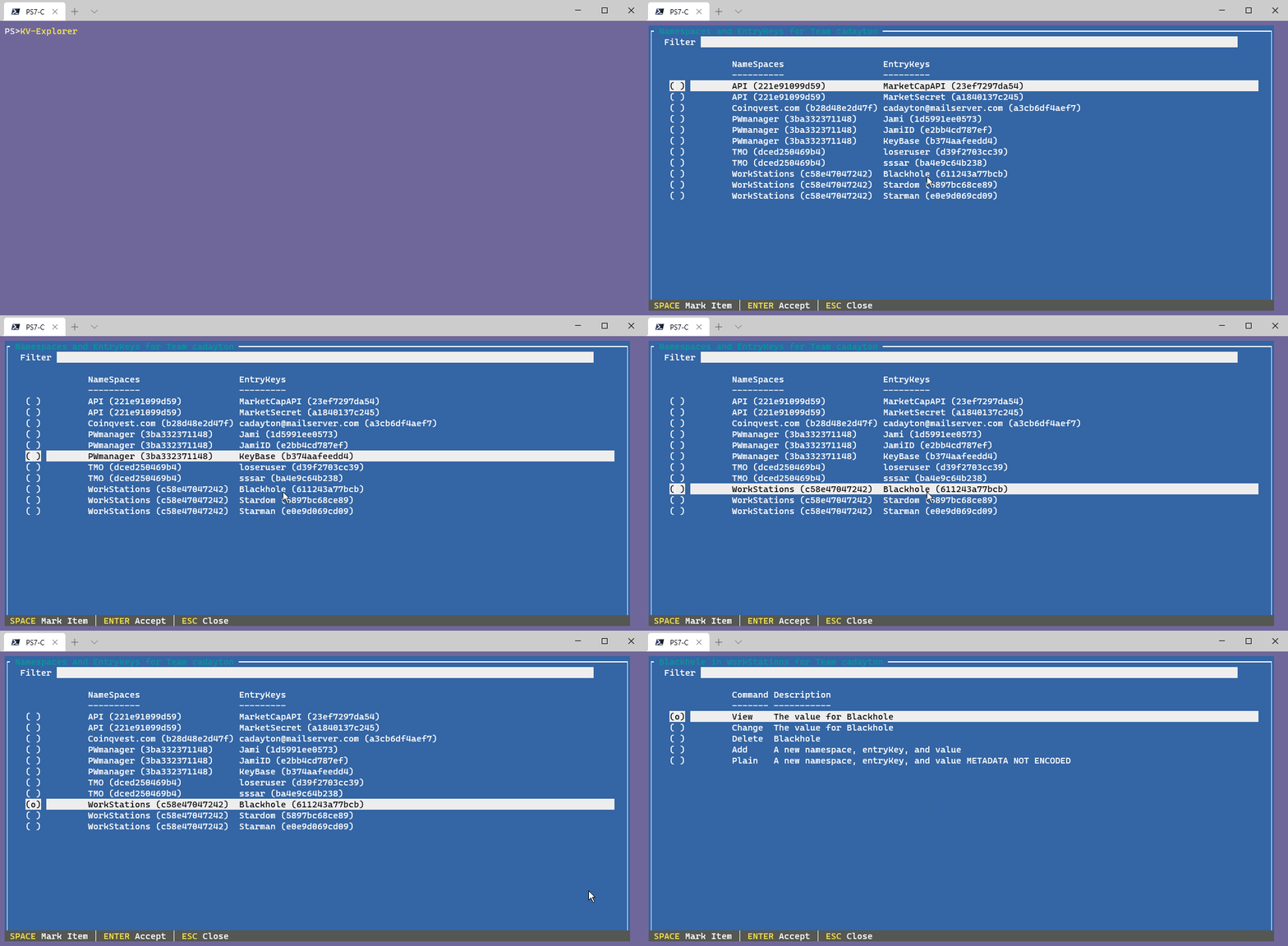
The little known vault feature within KeyBase is a key/value store which allows ones to maintain key/value pairs securely and access that data programmatically from any code base. On the server side of KeyBase, it does not encrypt metadata so both the key and that associated namespace (just a grouping name) value would not be encrypted by default. So, I wrote a PowerShell module that integrates with the KeyBase CLI, to obscure the namespace and key values stored on the KeyBase server.
PW-KVExplorer an animated gif demostrating the Web front-end functionality of the PSKeyBase PowerShell module.
KV-Explorer an animated gif demostrating the CLI functionality of the PSKeyBase PowerShell module.
PSKeyBase Module documentation and instructions for installing the PSKeyBase module.
Comments
No comments yet. Start the conversation.